
AI PRODUCTS 4 MIN READ
AI voice notes app UX: make the output worth trusting.
An AI notes app needs two kinds of confidence: confidence that the thought was captured, and confidence that the interpretation is faithful. Design both before asking users to delegate more of their thinking to the product.
 AnnaFounder, Asol DesignPublished
Separate capture from interpretation
Voice capture happens under pressure: a thought may be incomplete, the environment noisy and the user in motion. Requiring a folder, a title and a category before recording creates decisions at the least convenient moment.
My AI Voice Notes exploration begins with low-effort capture and considers how an idea can become useful later. For implementation, treat the raw recording, transcript and generated interpretation as separate objects. A polished summary should never be the only surviving record of what someone said.
The recording state should clearly show whether audio is being captured, paused, uploaded or processed. If processing fails, preserve the recording and offer a retry. If recording itself failed, say so directly instead of showing an indefinite loading state.
Make the transformation inspectable
Imagine a founder records: we may need to shorten setup, but we should interview new customers first. A generated task saying Shorten onboarding drops the uncertainty and the research dependency. It is concise, but changes the decision.
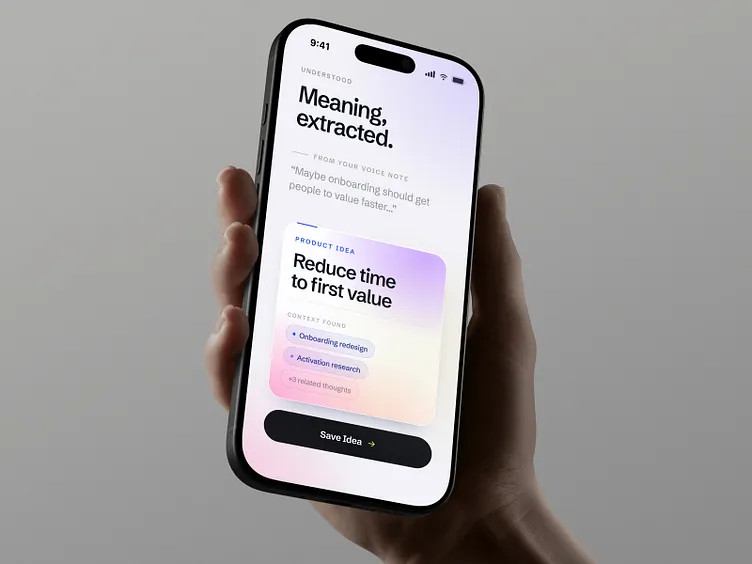
Give the output a source link, an edit action and a way to reject the interpretation. Where an output combines several notes, show which notes contributed. Distinguish a direct quotation from an inferred theme and a suggested next step.
Test faithfulness with realistic ambiguous recordings, not only clear demonstration scripts. Check qualifiers, names, numbers and decisions that were deliberately left open. A user should be able to repair the result without restarting the entire capture flow.
Design one useful next action
More generated formats can make the result screen harder to use. Choose a primary action that fits the audience. A founder may need a decision brief; a student may need a question to revisit; a researcher may need to attach evidence to a theme.
For a decision brief, structure the output around the question, available evidence, unresolved assumptions and the next investigation. Let the user choose what to include before exporting or sharing. An automatically generated brief should remain a draft until the person accepts it.
Keep secondary formats discoverable, but measure whether people finish the chosen task. A carousel of summaries, flashcards and social posts can produce clicks without resolving the job that brought them into the app.
Treat memory and permissions as product decisions
A richer history may improve relevance, but it also changes what people are comfortable sharing. Explain the purpose of microphone access at the recording moment. Make it clear what is saved, what is processed and how a person can remove it.
Do not assume a private note is permission to send material to a teammate, publish a document or perform an external action. Put a review step before any such action and show the exact content and destination.
Design account deletion, individual recording deletion and export as ordinary journeys. The team must align these controls with the actual storage and processing behavior; reassuring interface copy cannot substitute for that implementation.
Evaluate usefulness alongside reliability
Track capture success, time to a usable output, correction frequency and completion of the next action. Review rejected outputs qualitatively. A lower edit rate can mean better quality, but can also mean users stopped checking the output.
Can the user explain where the output came from, correct it, and use it for a real task without losing the original meaning?
Run separate checks for first use and repeated use. First use tests comprehension; repeated use tests whether the saved context becomes more valuable. Keep generation latency and processing cost visible to the product team when choosing the default output.
Read how to design the return journey in a productivity app for the next part of the loop.